7 Best Recurring Payment Apps for Collecting Customer Payments


Key Takeaways
- MoonClerk is the best fit for straightforward, no-code recurring payments, with flexible forms, customer self-service, and payment recovery tools.
- Stripe Billing offers the deepest developer control, while Square is most compelling when recurring and in-person sales need to share one system.
- Choose the payment rail and operating model first; processing, software, accounting, implementation, and payment recovery determine the real cost.
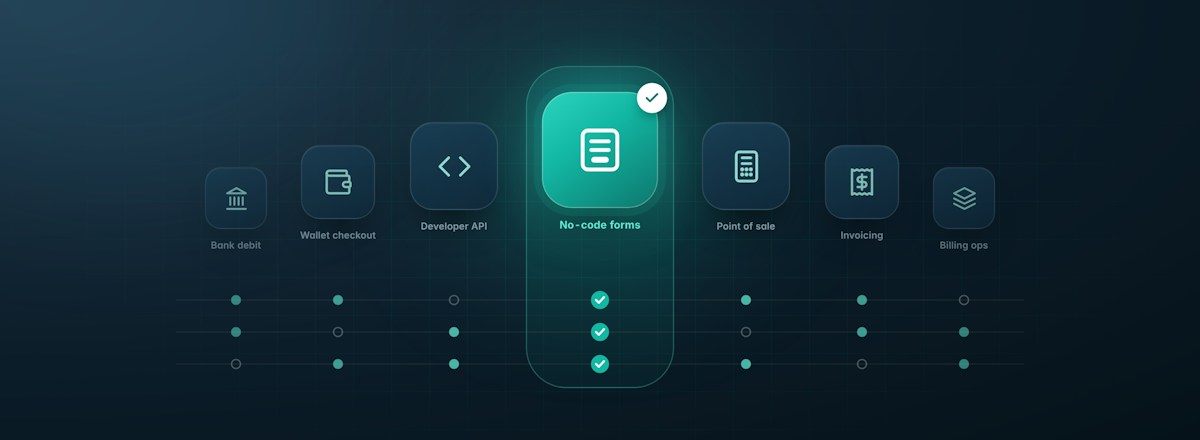
A recurring payment app can mean a simple checkout link, a full subscription billing engine, or an accounting workflow with automatic collection. Those products may all charge customers on a schedule, but they solve different problems.
How We Evaluated These Apps
We compared launch effort, payment methods, billing flexibility, failed-payment handling, customer controls, operating cost, and technical requirements. The numbering is for navigation, not a universal performance ranking; each recommendation depends on the billing model and operating context described.
Pricing note: Prices below are publicly listed U.S. rates available on October 11, 2026. Actual fees can vary by plan, payment method, region, transaction type, payment volume, and negotiated agreement.
What a Recurring Payment App Should Actually Do
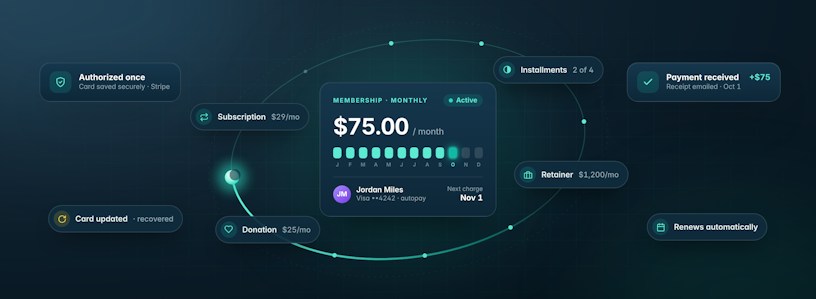
At minimum, a recurring payment app should let a customer authorize a payment method once and then charge it on the agreed schedule. The better question is what happens after that first checkout.
- Can you offer monthly, quarterly, annual, installment, trial, or custom billing schedules?
- Can customers update payment details, pause, switch plans, or cancel without contacting you?
- Does the app retry failed payments and communicate with customers when a payment method needs attention?
- Can you share a link, embed checkout on your site, or connect billing directly to your product?
- Will payment data, invoices, refunds, and subscription changes reach the other systems your team uses?
The right choice gives you enough control for your billing model without turning payment collection into a software project.
Recurring Payment App Comparison at a Glance
| App | Best for | Payment approach | Pricing structure |
|---|---|---|---|
| MoonClerk | Fast no-code setup | Cards, bank, and wallets via Stripe | Flat volume tiers plus Stripe fees |
| Stripe Billing | Custom product billing | Cards, bank, wallets, and local methods | Billing fee plus processing |
| Square Subscriptions | In-person and online sellers | Square-supported methods | No monthly fee; processing applies |
| PayPal Subscriptions | PayPal-led checkout | PayPal and eligible cards or wallets | No monthly fee; transaction pricing |
| GoCardless | ACH and bank debit | Bank debit | Per-transaction fees with caps |
| QuickBooks Online | Accounting-first billing | Cards and ACH via QuickBooks | QuickBooks subscription plus processing |
| Chargebee | Complex SaaS billing | 40+ gateway integrations | Platform and gateway fees |
Pricing structures are simplified for comparison; see the dated vendor sources in each section.
1. MoonClerk
Best for: Small businesses and organizations that want flexible recurring payment forms without building a billing system
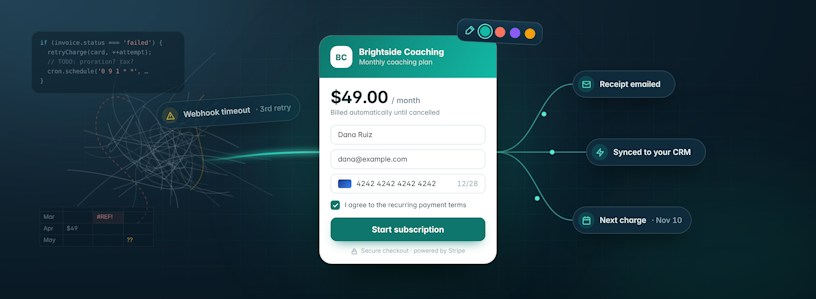
MoonClerk sits in the useful middle ground between a basic payment button and a developer-heavy billing platform. You can create a branded payment form, share it as a link, embed it on a website, or send customers to it from email and social channels. A business can get a recurring plan live without writing code, while still having room for trials, setup fees, coupons, custom fields, and less common billing schedules.
That flexibility suits more than conventional subscriptions. Agencies can collect monthly retainers, coaches can offer installment plans, membership organizations can bill dues, and nonprofits can let donors choose an amount or frequency. MoonClerk supports weekly, monthly, quarterly, annual, and custom schedules, as well as plans that end after a fixed period or continue until cancellation.
The app also covers the recurring-payment work that becomes visible only after launch. Payers can update their card in a self-service portal, and you can let them pause, cancel, or change their amount or frequency. Automated receipts, upcoming-payment reminders, card-expiration notices, and failed-payment emails with a card-update link reduce routine follow-up, while retries follow your Stripe settings, including Smart Retries. Webhooks can pass payment events to your CRM, email platform, or accounting workflow.
Where MoonClerk Fits
- No-code hosted and embedded checkout forms that can match your brand
- Flexible recurring schedules, trials, setup fees, coupons, installments, and pay-what-you-want options
- Customer self-service plus failed-payment recovery and billing notifications
- The same feature set on every plan, with no per-seat charge
MoonClerk uses Stripe for payment processing, so businesses need to account for both services. MoonClerk's plans start at $18 per month for up to $2,000 in monthly payment volume, then move through flat monthly volume tiers. Stripe's processing fees are charged separately. It is the strongest fit when speed, checkout control, and no-code operation matter more than owning subscription infrastructure.
Pricing and product source: MoonClerk pricing (accessed October 11, 2026).
2. Stripe Billing
Best for: Software companies and developer-led teams that need custom, global, or usage-based billing
Stripe Billing is the most infrastructure-oriented option in this list. It can support simple subscriptions, but its advantage appears when billing is part of the product itself. Teams can combine flat-rate, per-seat, tiered, variable, multi-currency, and usage-based pricing, then manage trials, prorations, upgrades, invoicing, and revenue recovery through Stripe's APIs and dashboard.
The platform is not code-only. Stripe offers Payment Links, a prebuilt Checkout page, hosted pricing tables, and a customer portal. Still, companies usually get the most value from Stripe Billing when they have technical resources to connect billing events, entitlements, account status, and product access.
Where Stripe Billing Earns Its Complexity
- Strong APIs and broad control over the subscription lifecycle
- Flexible pricing models, including usage-based and multi-currency billing
- Global payment coverage across cards, bank methods, wallets, and local options
- Smart retries, reminders, a hosted customer portal, and subscription schedules
Stripe Billing's standard pay-as-you-go price is 0.7% of Billing volume. Stripe Payments fees are additional, with standard U.S. online card pricing listed at 2.9% plus 30 cents per successful domestic card charge. The cost is straightforward to model, but the implementation and ongoing ownership can be heavier than a small service business needs. That tradeoff is worthwhile when billing logic is a product capability and engineering control matters more than plug-and-play simplicity.
Pricing and product source: Stripe Billing pricing (accessed October 11, 2026).
3. Square Subscriptions
Best for: Businesses that already use Square for point of sale, online sales, appointments, or invoices
Square Subscriptions makes the most sense when recurring payments are one part of a broader retail or service operation. A gym, studio, salon, shop, or local membership business can manage subscriptions in the same ecosystem it uses for in-person checkout and other customer payments.
Plans can recur weekly, biweekly, monthly, quarterly, semiannually, or annually. Businesses can set trials and end dates, share checkout links, create QR codes, or add checkout links to their website. Staff can also adjust start dates, update payment information, and pause or resume plans from the Square Dashboard.
Where Square Works Best
- A natural fit with Square point of sale and the wider Square commerce system
- Easy enrollment through checkout links and QR codes
- Useful schedule options for memberships, services, donations, and local businesses
- No monthly software fee for Square Subscriptions itself
Payment processing fees still apply, and Square's current rates depend on plan and transaction type. Businesses with complex usage billing, detailed subscription analytics, or a highly customized customer portal may outgrow its simpler subscription layer. Square is most compelling when recurring payments need to sit beside everyday sales activity in one familiar system.
Pricing and product source: Square Subscriptions support and Square Subscriptions overview (accessed October 11, 2026).
4. PayPal Subscriptions
Best for: Businesses whose customers already prefer and trust PayPal checkout
PayPal Subscriptions turns a familiar consumer payment account into a recurring checkout option. Businesses can define billing cycles, add a one-time setup fee, offer free or discounted trials, and manage subscription activity from a PayPal business account. PayPal also provides APIs for teams that want to integrate recurring payments into their own product experience.
Its clearest advantage is customer familiarity. A customer who already has a PayPal account may be able to subscribe without typing card details into a new checkout. That can be useful for creators, online services, international audiences, and businesses where PayPal is already a common one-time payment method.
The PayPal Advantage
- A recognizable checkout backed by PayPal's consumer account network
- Daily, weekly, monthly, and annual schedules
- Trials, setup fees, automated notifications, retries, and reporting
- No monthly fee or setup fee for the standard recurring payments offer
PayPal lists a U.S. recurring-payment transaction fee of 3.49% plus 49 cents. Customers may manage subscriptions and payment methods through their PayPal settings, which is convenient but gives the merchant less ownership of the experience than a fully branded checkout and portal. It is a focused choice when PayPal's name and wallet experience are likely to reduce checkout friction for the customer base.
Pricing and product source: PayPal recurring payments (accessed October 11, 2026).
5. GoCardless
Best for: Businesses that want to collect recurring payments directly from customer bank accounts
GoCardless is built around bank debit rather than cards. In the United States, that means ACH pull payments authorized by the customer. This can be attractive for high-value invoices, retainers, tuition, membership dues, and other predictable payments where card percentage fees or expiring cards create unnecessary cost and churn.
Businesses can create fixed subscriptions, installment schedules, and flexible payment plans from the dashboard or API. Hosted payment pages help customers set up a mandate, while links and integrations can connect GoCardless to invoicing and accounting tools. Its international coverage also supports bank payments from more than 30 countries.
Where Bank Debit Changes the Economics
- Purpose-built collection by ACH and other bank debit schemes
- Fixed subscriptions, installments, and flexible schedules
- Dashboard, API, hosted pages, and more than 350 partner integrations
- Transaction caps that can make larger domestic payments economical
GoCardless Standard is listed at 0.5% plus 5 cents per domestic transaction, capped at $5. Advanced and Pro cost more and add features such as intelligent retries, account verification, and fraud protection. Because GoCardless specializes in bank payments, it is not a direct replacement for a card-first checkout when customers expect card or wallet choice. GoCardless is strongest when bank debit fits customer expectations and reducing the cost or failure rate of recurring card payments is the priority.
Pricing and product source: GoCardless pricing (accessed October 11, 2026).
6. QuickBooks Online
Best for: Service businesses that want recurring invoices, automatic payment, and bookkeeping in the same workflow
QuickBooks Online approaches recurring payments from the invoice and accounting side. A business creates a recurring invoice, enables QuickBooks Payments, and lets the customer enroll in Autopay. Future invoices in the series can then be paid automatically, with the transaction recorded in the books.
That flow is especially practical for accountants, consultants, landscapers, tutors, maintenance providers, and other businesses that sell an ongoing service but still want each charge represented by an invoice. It reduces reconciliation work because the invoice, payment status, deposit, and accounting record remain connected.
Where QuickBooks Keeps the Workflow Together
- Recurring invoice creation, automatic collection, and bookkeeping in one system
- Support for credit, debit, and ACH through QuickBooks Payments
- Payment status that stays visible in the invoice activity record
- A familiar workflow for businesses already running their books in QuickBooks
There are meaningful constraints. QuickBooks Payments and a QuickBooks Online subscription are required. Autopay applies to pay-enabled recurring invoices of $5,000 or less, and the customer needs an Intuit account to enroll. If the total amount, frequency, terms, payment options, email address, or customer name changes, QuickBooks cancels Autopay and the customer must enroll again. For businesses that prioritize clean accounting and invoice history over a subscription storefront, those constraints may be acceptable.
Pricing and product source: QuickBooks Autopay support (accessed October 11, 2026).
7. Chargebee
Best for: Growing SaaS and subscription companies with complex pricing, finance, and revenue operations
Chargebee is a billing orchestration platform rather than a payment processor. It sits between a company's product, CRM, finance stack, and payment gateways, then manages the subscription and invoicing logic across them. That makes it a strong candidate for businesses handling usage charges, hybrid contracts, multiple entities, sales-assisted quotes, or frequent pricing changes.
The platform supports hosted and embedded checkout, a customer portal, a detailed product catalog, coupons, credit notes, calendar billing, consolidated invoicing, usage ingestion, subscription analytics, and integrations across accounting, tax, CRM, and support systems. Chargebee lists more than 40 payment gateway integrations, so a company can choose processors based on geography or business requirements.
When Billing Becomes Infrastructure
- Broad support for flat, tiered, volume, per-unit, package, and usage-based pricing
- Complex invoicing, product catalog, analytics, and revenue operations capabilities
- More than 40 payment gateway integrations instead of a single processor
- Enterprise options for multiple entities, account hierarchies, contracts, and controls
Chargebee's Flow plan is listed at 0.8% of monthly invoicing volume with no base fee, or $99 per month plus 0.65% for higher volumes; enterprise pricing differs, and payment gateway fees are separate. Its scope can be valuable for a mature subscription business, but implementation, governance, and total cost are likely excessive for a small team collecting a predictable monthly amount.
Pricing and product source: Chargebee pricing (accessed October 11, 2026).
How to Choose the Best Recurring Payment App
Feature lists are helpful, but the fastest way to narrow the field is to follow the money and the work around it.
Start With How Customers Prefer to Pay
Cards and wallets are convenient for fast online checkout. Bank debit can lower costs on larger recurring charges and avoid expired-card failures. PayPal may be valuable when customers already use it. Choose the payment experience your audience will actually complete, then compare apps that support it well.
Match the Tool to Your Billing Logic
A monthly retainer does not need the same infrastructure as usage-based SaaS pricing. Write down your real plans, including trials, setup fees, installment periods, upgrades, pauses, prorations, and cancellation rules. Ask each vendor to show those exact scenarios.
Calculate the Whole Cost
Add the recurring payment app fee, payment processing, accounting software, paid integrations, premium support, migration, and the staff time required to operate the system. Also consider what failed-payment recovery is worth. A lower sticker price can lose its advantage if the workflow creates manual work or leaves more revenue uncollected.
Test the Customer Lifecycle
Run a real plan from signup through renewal. Then test a declined payment, card update, pause, price change, refund, and cancellation. The best recurring payment app should make ordinary exceptions easy for both your customer and your team.
Check the Connections That Matter
Confirm how payment events reach your accounting system, CRM, email platform, analytics, and product access controls. A long integration directory is less important than reliable connections to the few tools your business uses every day.
Put Recurring Payment Collection on Autopilot
The best recurring payment app is the one that fits the way you sell and removes work after the customer signs up. A simple service business should not need enterprise billing infrastructure. A global software company should not force complex product logic into a basic payment button.
MoonClerk is built for businesses and organizations that want the practical middle: flexible recurring plans, a polished checkout, useful automation, and a setup process that does not depend on developers.
Ready to Make Recurring Payments Easier?
Create your first MoonClerk payment form and explore the app free, with no credit card required. Explore MoonClerk
Recurring Payment App FAQs
What is a recurring payment app?
A recurring payment app stores a customer's payment authorization and automatically charges the approved payment method on a schedule. Depending on the product, it may also create invoices, manage subscriptions, retry failed payments, and give customers self-service controls.
What is the best recurring payment app for a small business?
For a small business that wants branded, flexible recurring payment forms without a custom integration, MoonClerk is a strong fit. Square may suit a business already using Square for in-person sales, while QuickBooks can work well when recurring invoices and bookkeeping are the center of the workflow.
Can I collect recurring payments without a website?
Yes. Several apps in this guide let you send a hosted checkout link by email, text, or social media. MoonClerk, Square, PayPal, and GoCardless all offer forms or links that do not require you to build a full ecommerce site.
Are recurring payments the same as recurring invoices?
No. A recurring invoice is generated on a schedule, but the customer may still need to pay it manually. A recurring payment automatically collects the amount from an authorized payment method. Some products, including QuickBooks Online, connect the two by adding Autopay to recurring invoices.
Which recurring payment app is best for ACH?
GoCardless is purpose-built for bank debit and is a strong ACH-focused option. MoonClerk can also accept ACH bank payments (for US-based accounts) alongside cards, which is useful when a business wants bank payments and cards in the same checkout.
Do I need a developer to set up recurring payments?
Usually not. MoonClerk, Square, PayPal, GoCardless, and Stripe all provide at least one no-code path. A developer becomes more important when billing needs to control product access, calculate usage, support custom account logic, or live inside a proprietary application.