Recurring Payments for Small Businesses: A Complete Guide


Sending the same invoice every month is nobody’s idea of a good use of time. You create the invoice, remind the customer, check whether it was paid, and follow up again when it wasn’t. Multiply that routine across a growing customer list, and billing can become its own part-time job.
Recurring payments replace much of that work with a predictable process. A customer gives permission once, your payment system stores their payment details securely, and future charges happen on an agreed schedule. For small businesses, that can mean steadier cash flow, fewer awkward payment conversations, and more time for the work customers actually hired you to do.
This guide explains how recurring payments work, which business models they suit, what to look for in a provider, and how to build a setup that is convenient for both you and your customers.
What Are Recurring Payments?
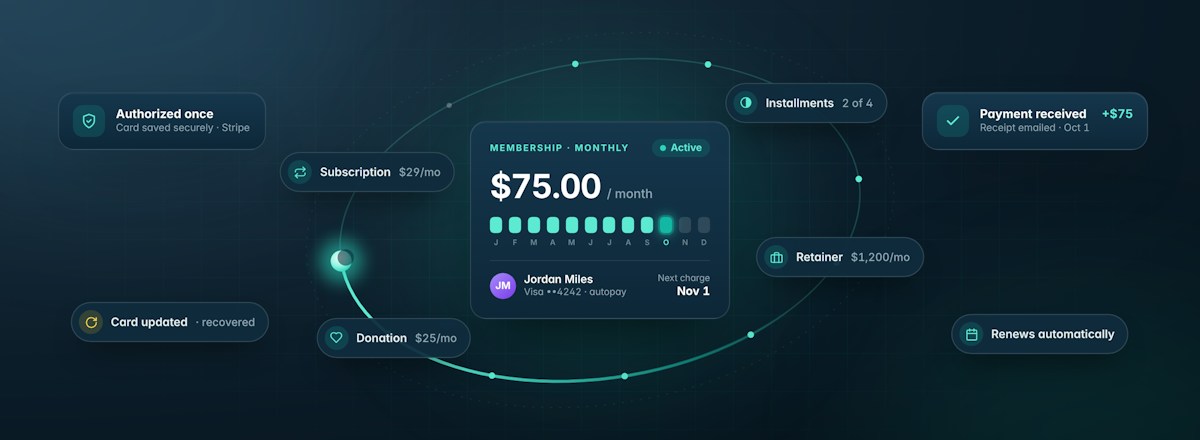
Recurring payments are automatic charges collected from a customer on a repeating schedule. The amount may stay the same, such as a $75 monthly membership, or follow a defined plan, such as four monthly installments of $250. The customer authorizes the arrangement during checkout, and the business charges the saved payment method according to the terms shown.
You may also hear terms such as automatic payments, subscription payments, recurring billing, or autopay. They overlap, but the underlying business model can differ.
| Recurring payment type | How it works | Common use case |
|---|---|---|
| Subscription | Continues until the customer or business cancels | Software, subscription boxes, ongoing services |
| Installment plan | Ends after a set number of payments | Higher-priced services or purchases |
| Membership | Bills for continued access | Fitness studios, communities, programs |
| Recurring donation | Lets a supporter contribute on an ongoing schedule | Nonprofits and fundraising organizations |
| Retainer | Reserves ongoing professional services | Agencies, consultants, professional services |
Whatever model you choose, the amount, frequency, start date, cancellation terms, and any trial or setup fee should be clear before the customer agrees.
The right structure depends on what you are actually selling. If customers receive ongoing value, an open-ended subscription or membership may make sense. If you are helping someone afford a defined purchase, an installment plan is usually more transparent. Start with the customer commitment you want to create, then build the payment schedule around it.
How Recurring Payment Processing Works
The customer’s experience is usually simple, but several systems are working behind the scenes. At checkout, the customer chooses a plan and enters a card, bank account, or other supported payment method. The payment processor securely handles those details and returns a token that the billing platform can use for future charges. Your business should not need to store raw card data.
When the next billing date arrives, the platform sends the charge to the processor. If it succeeds, the customer receives a receipt and the funds follow the processor’s payout schedule. If it fails, a well-designed system can notify the customer, provide a secure way to update payment information, and retry the charge according to your settings.
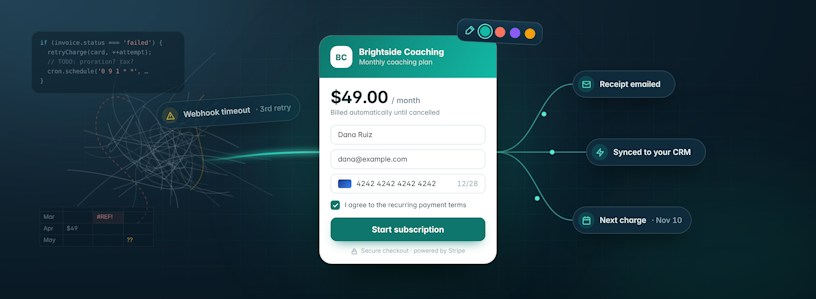
With MoonClerk, you create and share the payment experience while Stripe handles payment processing and payouts. You can also offer one-time and recurring options on the same form, then embed it on your site, share a hosted link, or use a QR code. See how MoonClerk works.
Why Small Businesses Use Recurring Payments
More Predictable Cash Flow
Recurring revenue doesn’t guarantee demand, but it does make expected collections easier to see. When active customers and scheduled amounts are visible in one place, owners can plan payroll, purchasing, and capacity with more confidence than they can with a stack of unpaid invoices.
Payment frequency matters here, too. Annual billing can bring cash into the business sooner, while monthly or weekly schedules may lower the commitment for the customer. There is no universally better option. The right cadence should balance how customers receive value with how your business manages cash flow and delivers the service.
Less Billing Administration
Automatic charging removes the need to recreate routine invoices or wait for customers to remember each due date. Receipts, reminders, failed-payment notices, and retries can also be automated. Over time, that means fewer routine billing tasks competing for your attention every week.
A Smoother Customer Experience
Customers authorize the plan once and do not have to repeat checkout for every cycle. That convenience matters for memberships, lessons, coaching, care plans, maintenance, donations, and other relationships where the service continues over time.
Flexible Ways to Package an Offer
Recurring billing can support more than a standard monthly subscription. A small business might combine a one-time setup fee with a monthly service, offer quarterly and annual options, use a limited-duration payment plan, or let donors choose their amount and frequency.
The payment structure should follow the value being delivered. A lawn-care company may naturally bill monthly during a service season, while a consultant might use a monthly retainer and a studio may offer both monthly and annual memberships. You do not need to force every recurring relationship into the same billing model.
Where Recurring Payments Fit Best
The strongest fit is a continuing customer relationship with a clear reason to keep paying. Think of a fitness studio that provides ongoing classes, an agency working on retainer, a childcare provider collecting weekly tuition, a lawn-care company serving the same property each month, or a nonprofit building a base of sustaining donors.
Installment plans are a slightly different use case. They divide a defined purchase into scheduled charges, which can make a higher-priced service more manageable. Because the obligation has a fixed end, the checkout should state the number of payments and total commitment plainly.
Recurring billing is a weaker fit when the amount changes unpredictably, the work is genuinely one-off, or the customer needs to approve each charge. In those situations, invoices or individual payment links may give both sides better control. Some businesses need both recurring and one-time collection, so it helps to choose a system that handles them together.
What to Look for in a Recurring Payment System
The right provider should fit how you sell today without creating a new operations project. Start with the customer journey: Can someone understand the offer, complete checkout on a phone, and receive a useful confirmation without help?
Then look at the parts your team will manage after the sale:
- Billing flexibility: Useful frequencies, start dates, trials, setup fees, coupons, fixed durations, and customer-selected options.
- Payment methods: Cards, bank payments, and relevant digital wallets for the customers and countries you serve.
- Failed-payment recovery: Automatic retries, clear notices, and a secure customer path for updating payment details.
- Plan management: Practical ways to pause, cancel, restart, skip, or change a plan when circumstances change.
- Data and connections: Exports, reporting, webhooks, or integrations that keep accounting, CRM, email, and fulfillment workflows in sync.
- Transparent costs: The platform subscription, payment-processing fees, chargeback fees, currency costs, and any paid add-ons.
Security also deserves a direct question. Find out which provider handles card data and what responsibilities remain with your business. A hosted or embedded checkout built on a PCI-compliant processor can reduce your exposure, but it does not replace sensible account security. Use strong access controls and two-factor authentication, limit staff permissions, and review account activity.
MoonClerk includes flexible recurring schedules, free trials, setup fees, coupons, a self-service payer portal, failed-payment emails, reporting, and integrations. Review MoonClerk’s recurring billing features.
How to Set Up Recurring Payments
A good setup begins with the offer, not the software. Work through the following sequence before sending customers to checkout.
1. Define What Repeats
Write down what the customer receives in each billing period. If the service has limits, deliverables, rollover rules, or renewal conditions, make those visible before payment.
2. Choose the Amount and Frequency
Match the schedule to how customers experience value and how your business incurs costs. Monthly is familiar, but weekly, quarterly, annual, or custom timing may be a more honest fit.
Don’t default to monthly just because it’s familiar. A longer billing cycle may improve upfront cash flow, but it also asks the customer to make a larger commitment. If you offer a discount for that commitment, make the savings easy to understand.
3. Set the Start and End Rules
Decide whether the first charge happens immediately, on a future date, or after a trial. Then choose whether the plan runs indefinitely or ends after a fixed number of cycles. If a setup fee or deposit applies, show it separately.
4. Write Plain Checkout Terms
State the recurring amount, billing interval, first charge date, cancellation process, refund policy, and what happens after a failed payment. Make consent explicit and keep a record of the terms the customer accepted. Requirements vary by location and payment method, so have your terms reviewed when needed.
5. Build and Test the Payment Form
When you build a payment form, use only the fields you need. Add your name or logo, a short description of the plan, and a confirmation that tells the customer what happens next.
Test the full flow on desktop and mobile, including a successful payment, a declined payment, the receipt, and any follow-up automation. The form may be simple to build, but it represents the moment a customer commits money to your business. Treat that experience accordingly.
6. Connect the Work After Payment
A successful charge may need to trigger onboarding, an email sequence, access delivery, a CRM update, or an accounting entry. Decide which handoffs should be automatic and which deserve a person’s review.
7. Create a Failed-Payment Routine
Configure retries and customer notices before the first failure occurs. MoonClerk’s help center explains that failed recurring charges follow the retry settings in the connected Stripe account, while enabled emails can give customers a link to update their card. Read the failed-payment guidance.
8. Launch With a Small Group
Run a few real checkouts before moving every customer. Confirm that the amount, timing, receipt, internal notifications, reporting, and payout all match what you expected. Then document the process for anyone who helps manage billing.
Common Recurring Payment Mistakes
The fastest way to lose trust is to surprise a customer. Vague trial terms, an unclear renewal date, or a cancellation process that is hard to find can turn convenience into frustration. Put the essential terms near the payment decision and repeat them in the confirmation email.
Another common mistake is assuming every failed charge means the customer wants to cancel. Cards expire, banks decline legitimate transactions, and account balances change. Automatic retries and well-timed notices can recover an accidental failure without a tense email from the owner. Repeated collection attempts should still follow the rules that apply to your business and payment method.
Finally, do not let old plans run unattended. Review active, paused, past-due, and canceled accounts on a regular schedule. Confirm that former customers are no longer billed, current customers are receiving what their plan promises, and price changes are communicated and authorized appropriately.
Metrics Worth Watching
You do not need an elaborate analytics program. A short monthly review can tell you whether recurring payments are actually making the business healthier:
- Active recurring revenue: The value scheduled from current plans.
- Failed-payment rate: The share of attempted recurring charges that do not succeed on the first try.
- Recovery rate: The share of failed charges later collected through retries or payment updates.
- Customer churn: The share of recurring customers who cancel during a period.
- Time spent on billing: A simple operational check that reveals whether the system is reducing administrative work.
Watch the story behind the numbers. A rise in failed payments may point to outdated customer details, while a jump in cancellations may signal an offer, service, or communication problem rather than a billing problem.
The operational metrics matter, too. If revenue is becoming more predictable but your team is still spending hours each week fixing plans, chasing payments, or reconciling systems, the billing process is only solving half the problem.
Make Recurring Billing Feel Routine
The best recurring payment process is almost unremarkable. Customers know what they are buying and when they will be charged. Payments arrive on schedule. Receipts and account updates happen without manual chasing. When something goes wrong, both the customer and the business know what to do next.
That is ultimately what small businesses should look for in a recurring payment system. The technology should support the way you already deliver value, reduce the administrative work around getting paid, and make the payment experience straightforward for your customers.
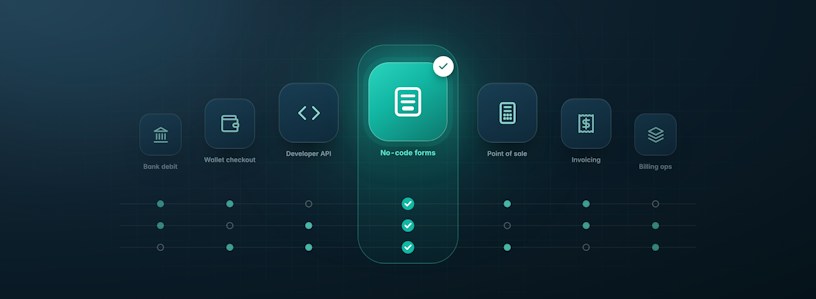
MoonClerk gives small businesses a no-code way to create flexible recurring payment forms while Stripe handles processing and payouts. You can set amounts and schedules, share a hosted form or embed it on your site, and manage recurring plans from one dashboard.
Explore MoonClerk for free and build a payment flow around the way your business already works.